Otter.ai alternative for uploaded audio, video and meetings
The Otter.ai Alternative for Audio & Video Transcription
Drop audio or video here
MP3, MP4, WAV, M4A, MOV, WebM and more · up to 6 GB each
Record audio
No file? Record audio, then turn it into text and export to Word.
Pause and resume anytime · up to 3 hours
3 free recordings per day. Download the full audio.
- No credit card required
- Speaker labels
- TXT, DOCX, SRT, VTT exports for all languages; PDF (basic ASCII only) for plain English text
- Audio and video files
Supported formats: MP3, WAV, M4A, MP4, MOV, WEBM, AAC, FLAC
Private uploads. Files are used to create your transcript and exports.
Best for testing lectures, interviews, podcasts, webinars and exported meeting recordings before you switch tools.
Use VoiceScribe AI when you want to upload recordings instead of relying on a live meeting bot. Transcribe MP3, MP4, WAV, lectures, interviews, podcasts and multilingual files, then export DOCX, TXT, SRT or VTT in minutes.
Free daily transcription tasks · No credit card to start · Best for file-based transcription workflows
Built for audio, video, meetings, podcasts, lectures and interviews.
TXT, DOCX, SRT, VTT for all languages. PDF (basic ASCII only) for plain English text.
Verdict
The short version: choose VoiceScribe AI for uploads, multilingual transcription and subtitles
Otter.ai is strongest as a live meeting assistant. VoiceScribe AI is designed as a broader AI transcription workspace for uploaded audio, uploaded video, long recordings and teams that need export-ready text.
Best for
File-based transcription
Audio, video, lectures, interviews, podcasts and webinars
Languages
100+ supported
Auto-detect multilingual speech for global teams and creators
Exports
TXT, DOCX, SRT, VTT, PDF (basic ASCII only)
Transcript files, documents and subtitle formats included
Start
Free daily transcription tasks
No credit card required to test your own audio
Quick answer
VoiceScribe AI is a stronger Otter.ai alternative when your workflow starts with a file
- ✓You want an Otter alternative for uploaded audio and video, not only live meeting notes
- ✓You upload recordings, lectures, podcasts, interviews, webinars or course videos
- ✓You need DOCX, TXT, SRT or VTT exports for documents, captions and publishing
- ✓You work across Chinese, Japanese, Korean, Spanish or other multilingual audio
- ✓You want a simple upload-to-transcript workflow without installing a meeting bot
When Otter may still fit: if you're deeply embedded in Otter's live-meeting bot ecosystem and only transcribe short English meetings, staying with Otter is reasonable. We try to give you the honest picture.
Who should switch
Choose the Otter.ai alternative that matches your real workflow
Students and researchers
Transcribe lectures, seminars, field interviews and research calls, then export readable notes or timestamped transcripts.
Podcasters and video creators
Upload long episodes or videos, clean up speaker-labeled transcripts, and export SRT/VTT subtitles for publishing.
Freelancers and small teams
Avoid paying for a meeting suite when you mainly need accurate transcripts, summaries and document exports.
Multilingual teams
Handle non-English recordings and mixed-language work without splitting your transcription workflow across separate tools.
Side-by-side
VoiceScribe AI vs Otter.ai — Which alternative should you use?
A practical comparison for people searching for an Otter.ai alternative, Otter alternative or alternatives to Otter.ai.
Best fit
| Feature | VoiceScribe AI | Otter.ai |
|---|---|---|
| Best workflow | ✓Upload audio/video files and export transcripts or subtitles | Live meeting notes and meeting assistant workflows |
| Best for creators | ✓Podcasts, videos, webinars, courses and long interviews | Recurring business meetings and team notes |
| Best first action | ✓Drop in a file and compare the transcript | Connect a calendar or meeting workflow |
Pricing
| Feature | VoiceScribe AI | Otter.ai |
|---|---|---|
| Free plan | ✓Free daily transcription tasks, no card | Free Basic plan available; verify current limits |
| Paid plan pressure | ✓Core upload, transcript and export workflow available before upgrading | Higher limits and advanced features require paid tiers |
| Credit card required to try | ✓No | No for Basic; paid plans depend on checkout flow |
Audio & file support
| Feature | VoiceScribe AI | Otter.ai |
|---|---|---|
| Supported audio formats | ✓MP3, WAV, M4A, AAC, FLAC, OGG, OPUS | MP3, M4A, WAV (limited) |
| Supported video formats | ✓MP4, MOV, AVI, MKV, WEBM | Focused on meeting recordings and selected imports; verify current upload formats |
| Long recordings | ✓Built for long lectures, interviews and podcasts | Plan limits apply; verify the current per-conversation limits |
| File-first workflow | ✓Drag in files and export transcript/subtitles | Meeting-first workflow with upload support |
Languages & accuracy
| Feature | VoiceScribe AI | Otter.ai |
|---|---|---|
| Languages supported | ✓100+ with auto-detect | Meeting assistant language support is expanding; verify current list |
| Clear English meeting audio | Strong | Strong |
| Non-English and mixed-language files | ✓Designed for multilingual uploads | Best verified against your target language before committing |
| Speaker labels | Available in the transcript workflow | Available in the meeting workflow |
Export & integration
| Feature | VoiceScribe AI | Otter.ai |
|---|---|---|
| Export formats | ✓TXT, DOCX, SRT, VTT, PDF (basic ASCII only) | Export options vary by plan; verify current details |
| Word-level timestamps | Yes | Yes |
| AI meeting summary | Yes | Yes |
| API access | Available | Available on selected plans; verify current details |
Privacy & data
| Feature | VoiceScribe AI | Otter.ai |
|---|---|---|
| Control over uploaded files | Delete files from your workspace when you no longer need them | See Otter account and data policy controls |
| Delete files anytime | Yes, one click | Yes |
| Encryption in transit & at rest | Yes | Yes |
Otter.ai details are summarized from public Otter pages reviewed in June 2026 and may change. Always verify current pricing, limits and language support on otter.ai before deciding. otter.ai pricing
Alternatives compared
Best Otter.ai alternatives for different transcription workflows
If you are comparing Otter.ai alternatives, start with the workflow you actually need: live meeting notes, uploaded files, subtitles, documents, or long-form content.
| Tool | Best for | Main tradeoff | Choose VoiceScribe when |
|---|---|---|---|
| VoiceScribe AI | Uploaded audio/video, long recordings, DOCX, SRT and VTT exports | Does not auto-join live meetings as a bot | You already have recordings and want an upload-to-transcript workflow |
| Otter.ai | Live English meeting notes and team meeting workflows | Best fit depends on current plan limits, language needs and export workflow | You need video uploads, subtitle files, multilingual transcription or document exports |
| Notta | Meeting transcription and productivity workflows | Compare current plan limits, export options and upload workflow before switching | Your priority is a simple browser upload flow for audio and video files |
| Sonix | Transcript editing and media workflows | Can be more tool-heavy than needed for occasional file transcription | You want a faster path from file upload to DOCX, SRT or VTT |
| Happy Scribe | Subtitles, transcription services and media localization workflows | Best choice depends on whether you need a service marketplace or self-serve AI transcription | You want self-serve AI transcription with free daily transcription tasks |
| TurboScribe | High-volume file transcription workflows | Compare current export, editor and collaboration needs before choosing | You want uploaded files, speaker labels and document/subtitle exports in one workspace |
Competitor positioning is intentionally workflow-based. Product pricing, limits and export options change often, so verify current details on each vendor site before making a final decision.
Why switch
Six concrete reasons to try an Otter.ai alternative
A file-first workflow
VoiceScribe AI is built around uploads: drag in audio or video, review the transcript, then export a document or subtitle file. That is a cleaner fit when you already have recordings.
Genuine multilingual support
If you work in Chinese, Japanese, Korean, Spanish, German or any of 100+ languages, VoiceScribe AI gives you an upload workflow with auto-detect and export-ready transcripts.
More file formats out of the box
Upload common audio and video formats including MP3, WAV, M4A, MP4, MOV, MKV, WEBM, FLAC, OGG and OPUS without a separate conversion step.
Friendlier pricing for individuals
VoiceScribe AI offers free daily transcription tasks with no credit card to start, and preview exports are available to everyone — useful when you do not need a full meeting-assistant suite.
Longer files without surprise limits
VoiceScribe AI is built for long recordings such as full lectures, depositions and long-form podcasts. Otter plan limits can change, so verify current per-conversation limits before relying on it for long files.
Cleaner export workflow
Drop a file, get TXT/DOCX/SRT/VTT + PDF (ASCII) immediately. No upsell prompts, no "preview-only" watermarks, no waitlist.
Migration guide
Switch from Otter in Under 5 Minutes
Keep your old transcripts. Re-process the audio you care about. Cancel cleanly.
- 1
Export your existing Otter transcripts
In Otter, open any conversation → Export → choose DOCX or TXT. You can bulk-export your history from Otter's account settings. Save the files locally.
- 2
Create a free VoiceScribe AI account
Sign up with email or Google. No credit card required, free daily transcription tasks are included immediately.
- 3
Upload your audio source files (optional)
If you still have the original audio (MP3 / MP4 / WAV), drag them into VoiceScribe AI to re-transcribe with our newer multilingual model — often more accurate than the Otter export.
- 4
Cancel your Otter subscription
Go to Otter → Account → Billing → Cancel. Your existing transcripts remain available in Otter on the free Basic tier even after cancellation, so nothing is lost.
Example output
What you get after migrating from Otter
Upload exported meeting audio or video, review a speaker-labeled transcript, then export the format that fits your workflow.
team-standup.m4a → transcript
1. Export or keep your original audio/video from Otter.
2. Upload the file to VoiceScribe.
3. Review speaker-labeled transcript:

   [00:02:10] Speaker 1: Sprint goals are on track.
   [00:02:16] Speaker 2: Design review is Thursday.
4. Export TXT, DOCX, SRT, VTT, or PDF (basic ASCII only).
DOCX for all languages; PDF (basic ASCII only) for simple English sharing.
Export guide
Which export should I use?
| Format | Best for | Note |
|---|---|---|
| TXT | Copy/paste, notes, and search | All languages supported |
| DOCXRecommended | Word editing, sharing, and non-English transcripts | Recommended for multilingual audio |
| SRT | Video subtitles | Included without a paid add-on |
| VTT | Web captions | HTML5 and LMS players |
| PDF (basic ASCII only) | Simple English transcript sharing | Not for CJK, Arabic, Cyrillic, or accented text |
See it in action
What VoiceScribe AI looks like
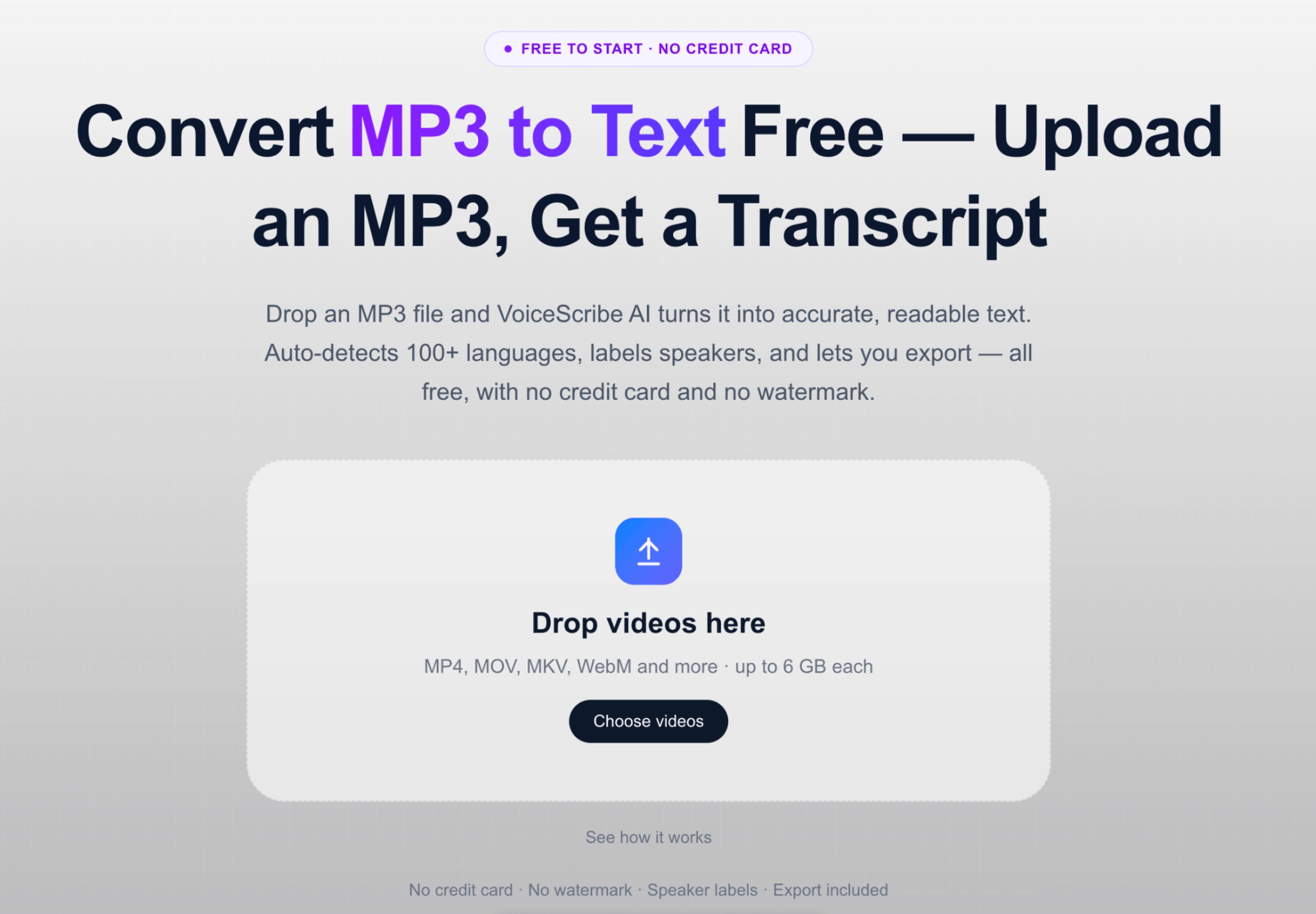
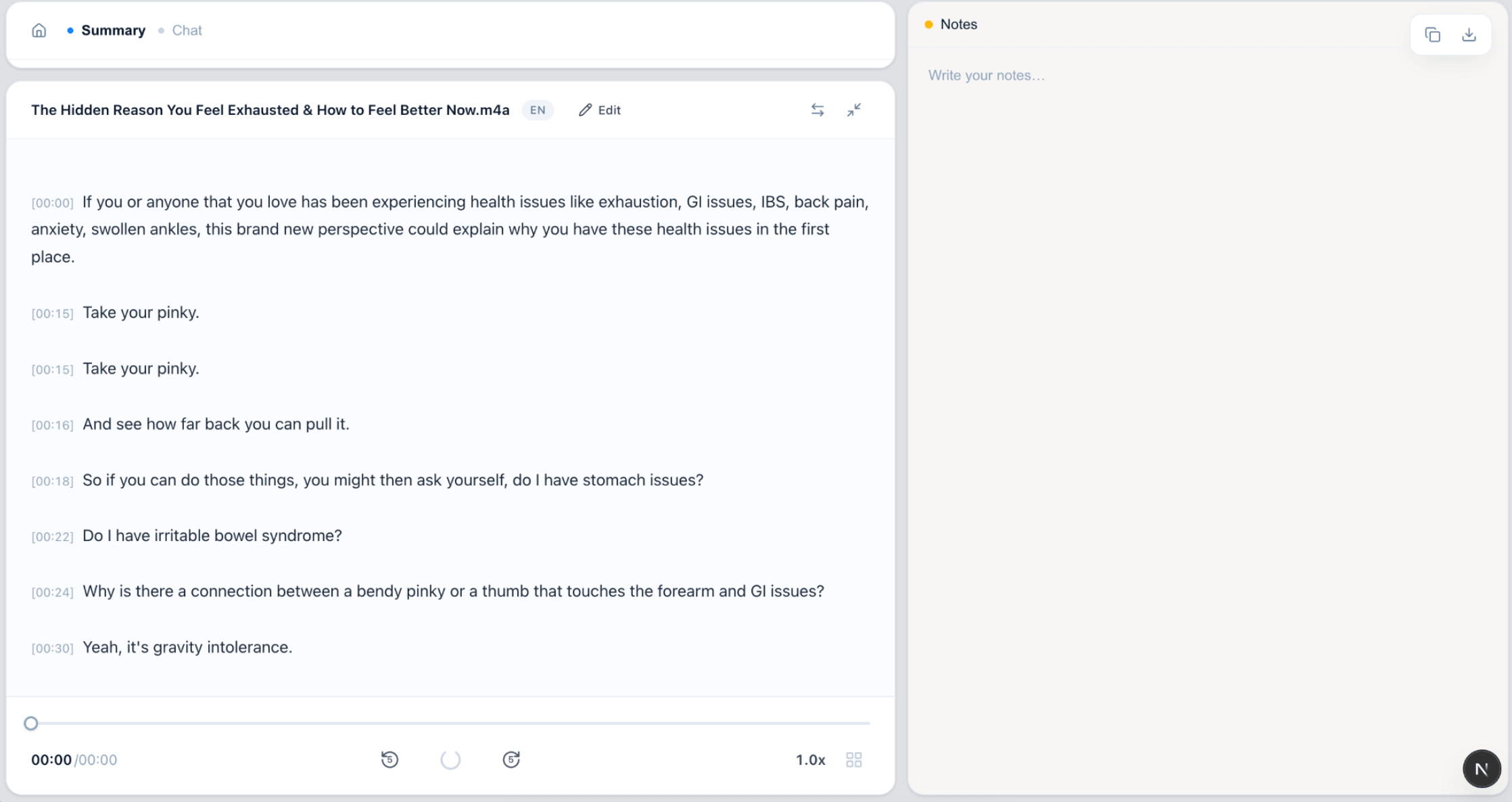
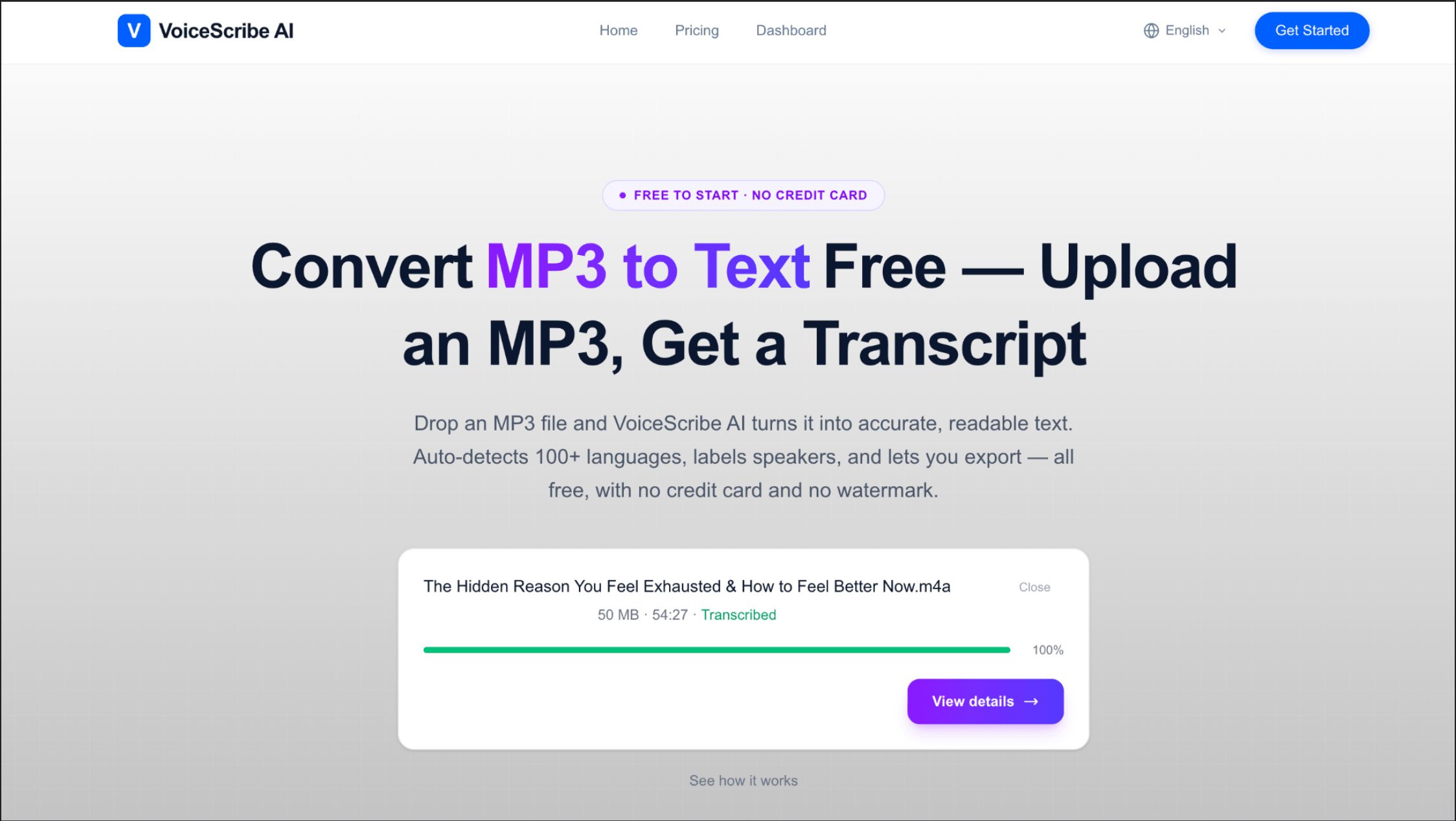
From upload to export — the full transcription workflow, no app install required.
FAQ
Otter.ai alternative FAQ
What is the best Otter.ai alternative for uploaded audio and video?
VoiceScribe AI is a strong Otter.ai alternative when your main workflow is uploading existing recordings. You can upload audio or video files, generate speaker-labeled transcripts, and export TXT, DOCX, SRT or VTT without building your process around a live meeting bot.
Can I try VoiceScribe before switching from Otter.ai?
Yes. VoiceScribe includes free daily transcription tasks and does not require a credit card to start. For a detailed comparison of free allowances and limits, see the dedicated Free Otter.ai Alternative guide.
When is VoiceScribe a better fit than Otter?
VoiceScribe fits better when you upload audio or video files instead of relying on a live meeting bot, need multilingual transcripts or subtitle exports, or want a simpler drop-file workflow with preview exports available to everyone.
Can I upload audio files instead of recording meetings?
Yes. VoiceScribe AI is designed for uploaded files. Drop in audio or video from Zoom, Google Meet, Teams, podcasts, courses, webinars or interviews, then review and export the transcript.
Does VoiceScribe support non-English audio better than Otter?
VoiceScribe is built for 100+ languages with auto-detect. For Chinese, Japanese, Korean, Spanish, and mixed-language recordings, test your own files—but multilingual upload workflows are a core strength.
Can I export transcripts to DOCX, SRT or VTT?
Yes. VoiceScribe AI supports TXT, DOCX, SRT and VTT exports for transcription workflows. DOCX is the best document format for all languages; PDF export is limited to basic ASCII text.
Is VoiceScribe AI cheaper than Otter.ai?
For many individuals and small teams, yes. VoiceScribe AI offers free daily transcription tasks with no credit card to start, and preview exports are available to everyone. Otter paid tiers are useful if you need its full meeting-assistant suite, but you should verify current Otter pricing and limits before choosing.
Is VoiceScribe AI as accurate as Otter.ai for English meetings?
For clear English business meetings, both tools can perform well. Differences usually show up in noisy environments, strong accents, long recordings, or non-English audio — where it is worth testing VoiceScribe AI's multilingual workflow on your own files.
Can I import my old Otter transcripts into VoiceScribe AI?
You can export Otter transcripts as DOCX/TXT and store them. If you still have the original audio files, re-uploading them to VoiceScribe AI generally produces a fresher, cleaner transcript thanks to newer speech models.
Does VoiceScribe AI work with Zoom, Google Meet and Teams?
Yes. Upload exported Zoom, Google Meet, or Microsoft Teams recordings (MP4 or M4A) and get a full transcript in minutes. VoiceScribe does not auto-join Zoom, Meet, or Teams calls; upload exported recordings for transcription.
Why would I leave Otter.ai for VoiceScribe AI?
Three reasons cover most users: (1) you mainly upload audio or video files instead of using a live meeting bot; (2) you need multilingual transcripts or subtitle exports; (3) you want a simpler "drop file → get transcript" workflow for occasional or project-based transcription.
Does VoiceScribe AI support video files, not just audio?
Yes. You can upload video files directly — MP4, MOV, AVI, MKV and WEBM — and VoiceScribe AI extracts the audio and transcribes it automatically. That makes it useful for webinars, course recordings and YouTube videos, not only audio files like MP3 or WAV.
Can I export transcripts as subtitles?
Yes. Every transcript can be exported as SRT or VTT subtitle files, as well as TXT, DOCX (all languages), and PDF (basic ASCII only). Subtitle export is available with Pro — useful for captioning videos, podcasts and lectures.
When should I still choose Otter.ai instead?
Otter is a reasonable choice if you rely heavily on its live in-meeting bot that auto-joins Zoom, Google Meet and Teams calls, and you almost exclusively transcribe short English-language meetings. If that's your core workflow and you don't need long files or non-English languages, staying with Otter is fine — we'd rather give you the honest answer than overclaim.
Related tools
Free Transcription Tools
Compare audio, video, MP3, MP4 and Zoom transcription workflows in one place.
Otter vs VoiceScribe →
A side-by-side comparison across price, languages and limits.
Free Audio to Text Converter →
Drop MP3, MP4 or WAV and get a transcript instantly.
How to Transcribe Audio for Free →
5 free methods compared, with a 5-step starter guide.
See plans →
Free daily transcription previews. No credit card to start, no hidden fees.
Find the right fit for your use case
Meeting Transcription
Upload exported Zoom, Meet, or Teams recordings with speaker labels.
Audio to Word
Convert recordings into editable Word-ready DOCX documents.
Transcription tools hub
Browse all format, meeting, and industry transcription tools.
Free Otter.ai alternative
No credit card to start. First 30 seconds free; free subtitle exports of the preview.
Otter.ai alternative for students
Transcribe long lectures and seminars, export study notes.
Otter.ai alternative for podcasts
Show notes, speaker labels and SRT/VTT subtitles.
Otter.ai alternative for non-English audio
Chinese, Japanese, Korean, Spanish and 100+ languages.
Otter.ai alternative for interviews
Speaker-labeled transcripts for research, hiring and customer calls.
Otter.ai alternative for lectures
Long lecture recordings, searchable notes and study-ready exports.
Otter.ai alternative for YouTube videos
Video transcripts, SRT/VTT subtitles and repurposable content.
Make the switch today
Free daily transcription tasks. No credit card. Bring your audio, keep your workflow.
Start with VoiceScribe AI