Podcast transcription · 7-day Pro free trial

The Otter.ai Alternative for Podcasts — Try Pro Free for 7 Days

Drop audio or video here

MP3, MP4, WAV, M4A, MOV, WebM and more · up to 6 GB each

Choose files

Record audio

No file? Record audio, then turn it into text and export to Word.

3 free recordings per day. Download the full audio.

  • No credit card required
  • Speaker labels
  • TXT, DOCX, SRT, VTT exports for all languages; PDF (basic ASCII only) for plain English text
  • Audio and video files

Supported formats: MP3, WAV, M4A, MP4, MOV, WEBM, AAC, FLAC

Private uploads. Files are used to create your transcript and exports.

Activate your 7-day Pro free trial for unlimited podcast transcriptions at no charge during the trial. Upload full MP3, WAV or MP4 episodes, generate AI summaries, translate into 100+ languages, and export transcripts or SRT/VTT subtitles.

7 days free after trial activation · Unlimited transcriptions · Full Pro benefits · Cancel before the trial ends to avoid charges

Source recording · Real subtitle exports

From spoken audio to a show-notes draft

This 39.6-second, single-speaker recording introduces a documentary editing workflow in DaVinci Resolve. It demonstrates a spoken-word transcription workflow, rather than a host-and-guest podcast. Listen to the audio, read the transcript, and compare it with the manually written notes below.

Listen to the source audio

If playback is unavailable, download the source file. The complete text remains readable alongside it.

Source: a user-supplied recording authorized for public playback and downloads. SRT and VTT are preserved production exports from September 14, 2026; reading text is derived from the SRT. Original wording and the unfinished final sentence are retained. This sample is not an accuracy benchmark or an editor compatibility test.

Full reading transcript

welcome back to another video today we're going to dive straight in to davinci

resolve and look at my workflow for editing a documentary now this workflow

can be used obviously for smaller projects for smaller corporate brand films but

the idea with this workflow is that it's really simple but it's also robust enough

to be scaled up to bigger projects such as a documentary this video is definitely

something that i wish i would have seen when i first started editing longer form

projects because these types of projects can become overwhelming really quickly

because there's so much raw footage to deal with um with this particular project

there was over 30

This historical sample shows the full 39.6-second result. Current free uploads preview the first 30 seconds and allow preview exports; full transcription requires Pro.

Manually written example · Not automatic output

Show-notes draft: starting a documentary edit

The speaker introduces a DaVinci Resolve editing workflow that can start with smaller corporate or brand films and scale to documentary projects. The clip also highlights how longer projects can become overwhelming when there is a lot of raw footage.

Draft chapter markers

  • 00:00 — Introduction to the DaVinci Resolve workflow
  • 00:09 — Smaller projects and scaling to documentaries
  • 00:25 — The challenge of longer edits and raw footage

Markers are approximate editorial choices. The clip ends mid-sentence, so these notes do not infer a footage count or describe workflow steps that are not in the recording.
Before publishing your episode notes

  1. Read the transcript while listening. Correct names and specialist terms in your working document before quoting them.
  2. For a multi-speaker episode, add names after checking each turn. This single-speaker sample does not demonstrate speaker identification.
  3. Choose chapter starts by listening to topic changes. Subtitle cue boundaries are not automatically episode chapters.
  4. For video clips, export captions from the final cut and check timing at the start, middle and end.
See the source video and full SRT output →

What it does for your podcast

From raw episode to publishable content

The questions podcasters ask before switching — answered plainly.

Pro free trial
7 days of full Pro access at no charge after activation
Transcription count
Unlimited transcriptions during the trial
Trial activation
Activate through secure checkout before uploading full episodes
Audio formats
MP3, WAV and more
Video episodes (MP4, MOV)
Supported
Transcription scope
Full episodes with an active Pro trial
Host & guest attribution
Review and add speaker names yourself
Subtitle export
Full SRT and VTT exports included during the trial
AI Summary & batch uploads
Included with your Pro trial
Connect to ChatGPT
Included with your Pro trial
Show notes & blog repurposing
Export TXT, DOCX (all languages), PDF (basic ASCII only)
Translation
Translate into 100+ languages during the trial
After the trial
$8.88 for the first paid month, then $18.88/month until canceled

Activate the Pro trial to receive these benefits free for 7 days. Cancel before the trial ends to avoid charges. Unlimited refers to transcription count; supported formats and upload limits still apply. Without active Pro access, uploads use the separate first-30-second free preview. The sample show notes are manually written; AI Summary is a separate product feature.

Podcast production workflow

Why VoiceScribe fits podcast production workflows

1

Unlimited episode transcriptions for 7 days

With an active Pro free trial, transcribe full episodes without a daily transcription count limit for 7 days. Batch upload recordings from your podcast backlog, then review each transcript against its source audio before publishing.

2

Check who said each quote

For interviews and panel episodes, listen back before attributing a quote. Add host and guest names when editing your exported document; do not rely on automatic speaker labels in the current transcript view.

3

Subtitle export for video podcasts

Export full SRT and VTT subtitles during your Pro trial at no additional charge. Generate captions from the final video cut so trimmed podcast clips have their own timing.

4

Repurpose into show notes and blog posts

Use AI Summary and Connect to ChatGPT during your trial to help repurpose an episode. Export TXT, DOCX (all languages), and PDF (basic ASCII only) transcripts for notes and blog drafts. Check generated summaries, quotes and chapter choices against the recording.

5

Translate for a wider audience

Your Pro trial includes translation into 100+ languages. Prepare translated transcripts for international listeners and review names, terminology and context before sharing.

See it in action

What the podcast workflow looks like

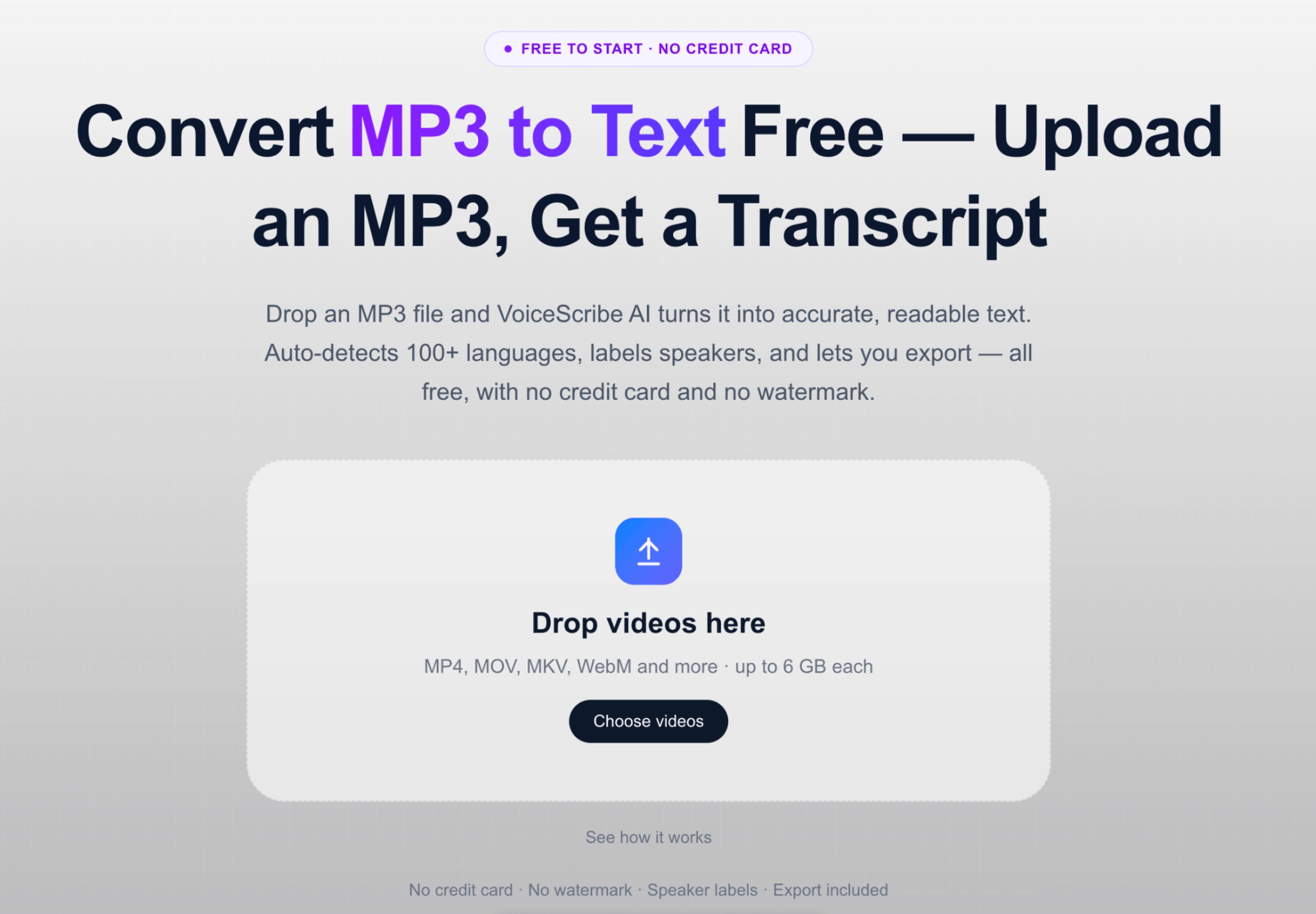
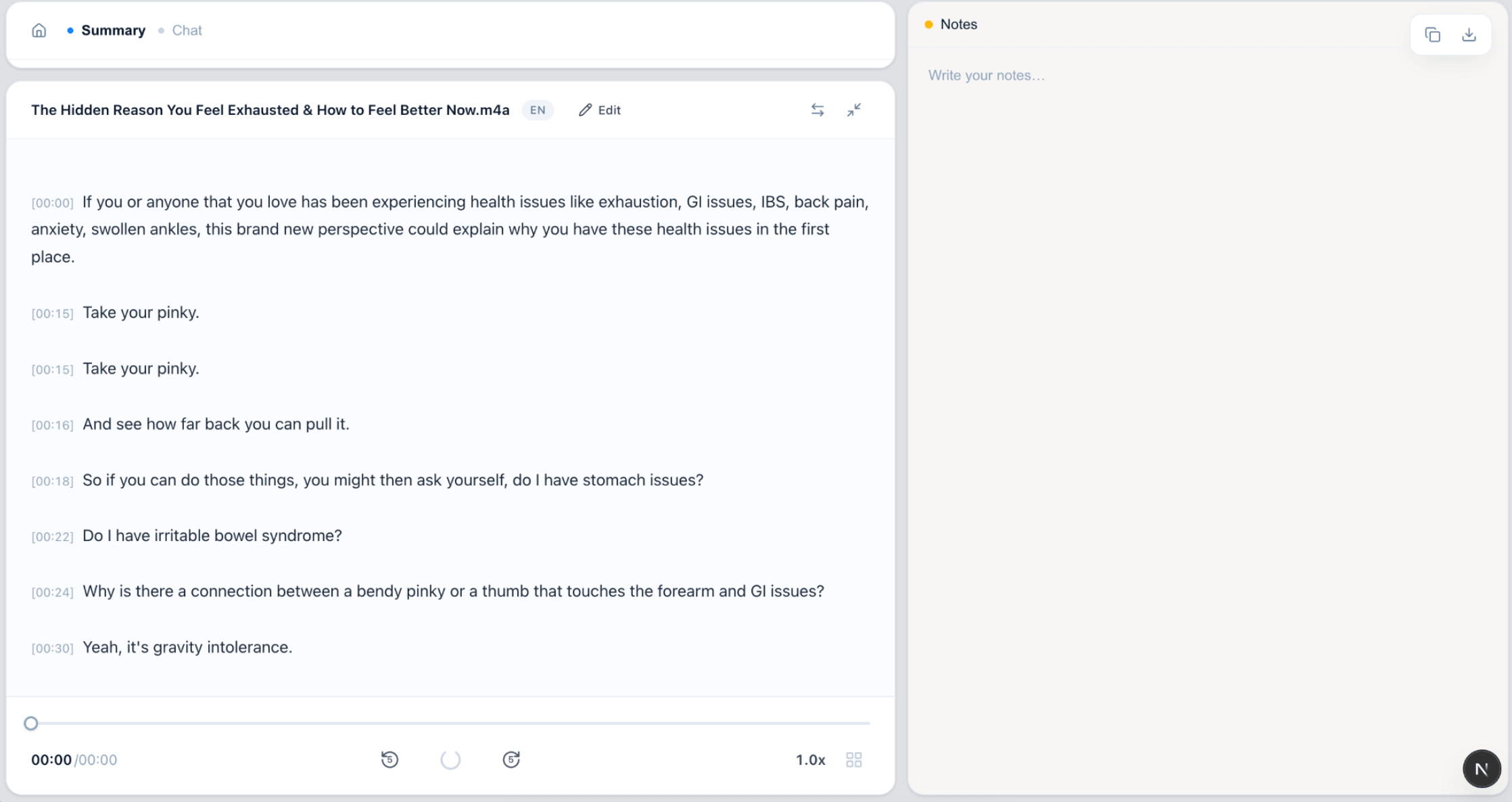
The screens show the upload and transcript interface. The playable sample above provides a source recording and real subtitle exports.

VoiceScribe AI file upload interface
Upload interface: choose your audio or video recording.
VoiceScribe AI timestamped transcript interface
Transcript interface: review timed text, then export a copy for editing and notes.

FAQ

Podcast transcription FAQ

Can I transcribe a full podcast episode in one upload?

Yes. Activate the 7-day Pro free trial to transcribe full podcast episodes with unlimited transcription count during the trial. Supported formats and upload limits still apply. Without active Pro access, uploaded files use the separate first-30-second free preview.

Does it label hosts and guests separately?

Automatic host and guest labels are not currently available in the transcript view. For a multi-speaker episode, listen back and add names to your exported transcript before using quotes or publishing show notes.

Can I export subtitles for my video podcast?

Yes. During your active Pro trial, export full SRT and VTT subtitle files at no additional charge — useful for captioning YouTube videos, Reels and Shorts cut from your episode. TXT, DOCX (all languages), and PDF (basic ASCII only) exports are also included.

What audio and video formats are supported?

You can upload common audio files like MP3 and WAV, and video files such as MP4 and MOV. Audio is extracted from video automatically, so video podcasts work too.

Does VoiceScribe write the show notes shown on this page?

The show-notes draft shown here was written manually from the transcript. Your Pro trial also includes AI Summary and Connect to ChatGPT to help prepare your own notes. Verify names and quotes against the audio, and review any generated summary before publishing.

Is it really free for podcasters, or is it a trial?

The Pro trial is free for 7 days after activation through checkout, with unlimited transcriptions and full Pro benefits. Payment details are collected at checkout. After the trial, the first paid month is $8.88, then $18.88/month until canceled. Cancel before the trial ends to avoid charges. The separate first-30-second free preview does not require a credit card.

Which benefits are included in the 7-day Pro trial?

Your active trial includes unlimited transcriptions, batch uploads, AI Summary, translation into 100+ languages, Connect to ChatGPT, and Word, PDF, TXT, SRT and VTT exports. PDF supports basic ASCII text; use Word or TXT for non-ASCII content. Unlimited refers to transcription count, not unlimited file size or duration.

Turn your next episode into content with Pro

Activate a 7-day Pro free trial for unlimited transcriptions, AI summaries and full transcript exports. Cancel before the trial ends to avoid charges; otherwise the first paid month is $8.88, then $18.88/month until canceled.

Create a free account