Free to start · 100+ languages
The Otter.ai Alternative For Non-English Audio That Actually Understands Your Language
Drop audio or video here
MP3, MP4, WAV, M4A, MOV, WebM and more · up to 6 GB each
Record audio
No file? Record audio, then turn it into text and export to Word.
3 free recordings per day. Download the full audio.
- No credit card required
- Speaker labels
- TXT, DOCX, SRT, VTT exports for all languages; PDF (basic ASCII only) for plain English text
- Audio and video files
Supported formats: MP3, WAV, M4A, MP4, MOV, WEBM, AAC, FLAC
Private uploads. Files are used to create your transcript and exports.
Otter.ai is built around English first. VoiceScribe AI transcribes 100+ languages with automatic language detection per file — Chinese, Japanese, Korean, Spanish, French, German and many more — with free daily transcription tasks and no credit card to start.
100+ languages · Auto-detect per file · Speaker labels free · No credit card
Languages we transcribe
Built for non-English audio
Concrete scenarios for the languages people ask about most.
- Chinese (Mandarin)
- Transcribe business meetings, lectures and interviews recorded in Mandarin.
- Japanese
- Turn Japanese podcasts, webinars and client calls into clean text.
- Korean
- Convert Korean YouTube videos, talks and study recordings to transcripts.
- Spanish
- Transcribe Spanish-language interviews, classes and field recordings.
- French
- Get accurate text from French meetings, lectures and voice notes.
- German
- Transcribe German conference talks, courses and long-form discussions.
- Auto-detect
- Each file is auto-detected, so you do not have to set the language by hand.
- Total coverage
- 100+ languages supported, all on the free plan.
Each file is processed with automatic language detection. For best results, keep one primary spoken language per file. Otter.ai language support is summarized from the otter.ai public information at the time of writing and may change — please verify on otter.ai.
Why it works for non-English audio
What you get with VoiceScribe AI
Automatic language detection per file
Upload a file and the spoken language is detected automatically — no manual language picker. Each file is detected on its own, so a Japanese recording and a Spanish recording both just work.
100+ languages, all free
Chinese, Japanese, Korean, Spanish, French, German and 100+ more are all available on the free plan. There is no premium language tier and no per-language paywall.
Longer uploads with Pro
Non-English lectures, panels and podcasts are often long. Free local uploads automatically preview the first 30 seconds. Preview tools are free. Use Pro for full transcription.
Subtitle exports for localization
Export to TXT, DOCX, SRT, VTT (all languages), and PDF (basic ASCII only) with Pro. SRT and VTT are useful for captioning and subtitling non-English video into the original language.
See it in action
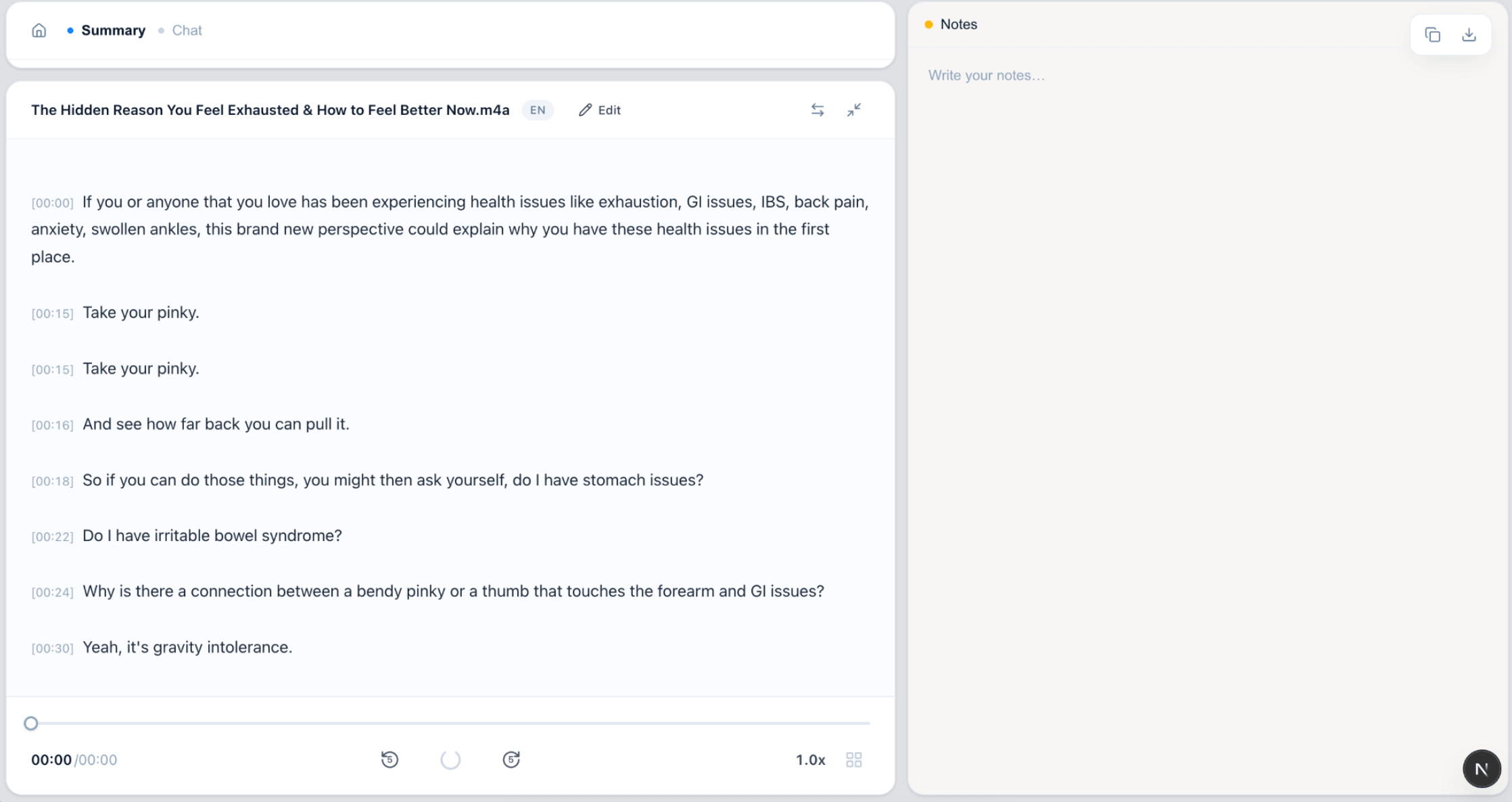
Non-English transcription, end to end
Auto-detected language, speaker labels and subtitle export.
FAQ
Non-English transcription FAQ
Which non-English languages does VoiceScribe AI support?
VoiceScribe AI supports 100+ languages, including Chinese, Japanese, Korean, Spanish, French and German. All languages are available on the free plan — there is no separate paid language tier.
Do I have to choose the language before transcribing?
No. The spoken language is detected automatically for each file you upload, so you do not need to set it manually. Auto-detection is applied per file.
Can it handle a file that mixes two languages?
Detection works per file, so the best results come from one primary spoken language per recording. If a file mixes languages heavily, accuracy can vary — for those cases, splitting the audio by language gives cleaner transcripts.
Is non-English transcription really free?
Yes. Every language is included at no cost, with no credit card required. Speaker labels are included in free previews. Preview exports to TXT, DOCX, SRT, VTT (all languages), and PDF (basic ASCII only) are free, regardless of language.
How is this better than Otter.ai for non-English audio?
Otter.ai is centered on English and supports a smaller set of languages. VoiceScribe AI covers 100+ languages with automatic per-file detection and keeps all of them on the free plan, which makes it a stronger fit for non-English and multilingual workflows.
Transcribe non-English audio for free
100+ languages, auto-detected per file. No credit card. Every feature included.
Create a free account