Free to start · No credit card
The Free Video to Text Converter Transcribe Spoken Audio, Then Review and Export
Drop audio or video here
MP3, MP4, WAV, M4A, MOV, WebM and more · up to 6 GB each
Record audio
No file? Record audio, then turn it into text and export to Word.
- No credit card required
- Speaker labels
- TXT, DOCX, SRT, VTT exports for all languages; PDF (basic ASCII only) for plain English text
- Audio and video files
Supported formats: MP3, WAV, M4A, MP4, MOV, WEBM, AAC, FLAC
Private uploads. Files are used to create your transcript and exports.
Upload a video with spoken audio, follow the task to completion, then review the text and export TXT, DOCX, SRT or VTT. You can create unlimited transcription tasks, with local audio/video uploads automatically previewing the first 30 seconds. Files of 30 seconds or less are transcribed in full. Copying, editing, exports, GPT and translation are available to everyone for accessible transcript content. Full transcription beyond the preview requires Pro.
No credit card · No watermark · Free preview subtitle exports · First 30 seconds free; full transcription with Pro
Before you upload
Video to text: what is actually transcribed
The uploaded video must have a decodable spoken audio track. This is speech-to-text, not OCR for slides, images or silent video.
- Free allowance
- You can create unlimited transcription tasks, with local audio/video uploads automatically previewing the first 30 seconds. Files of 30 seconds or less are transcribed in full. Copying, editing, exports, GPT and translation are available to everyone for accessible transcript content. Full transcription beyond the preview requires Pro.
- File size and processing
- The uploader accepts files up to 6 GiB (6,442,450,944 bytes). Browser memory and service limits may be lower. Processing time is not guaranteed.
- Review and export
- Review names, numbers and speaker labels. TXT, DOCX, SRT and VTT support multilingual text. PDF supports Latin, Cyrillic, Greek, Chinese, Japanese and Korean text; use Word (DOCX) if PDF is unavailable. The upload workflow opens the task detail page; wait for processing to finish before reviewing and exporting the full result.
- When this is not a fit
- Codec support, browser memory and service limits can affect processing. Try a short clip first; processing time and accuracy are not guaranteed.
Audio is uploaded for processing, not transcribed entirely offline. Before uploading sensitive recordings, review our privacy policy and ask about retention and deletion. See current paid plan terms before subscribing.
Built for audio, video, meetings, podcasts, lectures and interviews.
TXT, DOCX, SRT, VTT for all languages. PDF (basic ASCII only) for plain English text.
Answer, workflow and sample
How to transcribe speech in a video
Upload a video with a spoken audio track to produce editable text and caption files. This workflow transcribes speech; it does not read slide text, identify silent scenes or extract text from images.
1. Check the source
Play the video first and confirm that its audio contains the speech you want. Use a file you are authorized to share.
2. Upload the file
Choose the video in the uploader above. A supported extension is not a guarantee for every codec; test a short clip if the file cannot be decoded.
3. Review the finished transcript
Follow the task page while processing completes. Compare important names and numbers against the audio before reusing the result.
4. Export text or captions
Choose TXT/DOCX for a reading copy, or SRT/VTT for captions. Check subtitle timing in the player or editor where you will publish.
Inspect a real sample before uploading
This 34.6-second portrait clip includes embedded English captions. The reading copy and reference subtitles below follow those captions; they are not verified VoiceScribe exports. It is one example, not a claim about accuracy on every video.
Full sample reading copy
Now, Trump is, I think maybe he's having second thoughts about Ken
Paxton, because this is how, he's done this many times.
And then they say, you can't say this, sir, that's so insulting,
please, sir. You may not like the way he looks.
The fact is that some may not like the
way he dresses.
I don't. They may not like the way he talks.
I can see that, you know?
I'm James Talarico, and I approve that message.
Source: user-supplied MP4. Reference subtitles were manually copied from its embedded captions, with timings matched to visible caption changes. The TXT reading copy is derived from the reference SRT. These files are not verified VoiceScribe exports. Review your own output before publishing.
Need another output? Compare the transcription tools and formats.
What you get for free
Everything you need to convert video to text
The questions people ask before uploading a video — answered plainly.
- Price
- Unlimited free transcription previews · No credit card to start
- Credit card required
- No
- Video formats supported
- MP4, MOV, AVI, MKV, WEBM
- Max file length
- First 30 seconds free; full transcription with Pro
- Languages
- 100+ with auto-detect
- Speaker labels
- Included for free
- Export formats
- TXT, DOCX, SRT, VTT, PDF (basic ASCII only)
- Subtitles (SRT, VTT)
- Included — no upgrade needed
These are product defaults, not a guarantee for every file or codec. Review the transcript before publishing.
Video transcription alternative
Need an Otter.ai alternative for video transcription?
Compare VoiceScribe AI when your workflow depends on uploaded videos, long recordings, subtitles and multilingual transcript exports.
View the Otter.ai alternative for video and audioHow it works
Upload a video, get a transcript and subtitles
Upload your video file
Drop in an MP4, MOV, AVI, MKV or WEBM file. VoiceScribe AI extracts the audio track and prepares it for transcription — no separate audio export needed.
Get an accurate transcript
The video is transcribed into clean, readable text with automatic punctuation. Language is auto-detected across 100+ languages, and speaker labels separate who said what.
Export subtitles in SRT and VTT
Download timed SRT and VTT subtitle files for YouTube, social clips or video editors — included for free, with no watermark and no upgrade prompt.
No credit card, no file caps to dodge
Free local uploads of 30 seconds or less are transcribed in full; longer files automatically preview the first 30 seconds. Content tools are available to everyone for the preview. Full transcription beyond the preview requires Pro. Sign up with email or Google and start converting — nothing to cancel later.
See it in action
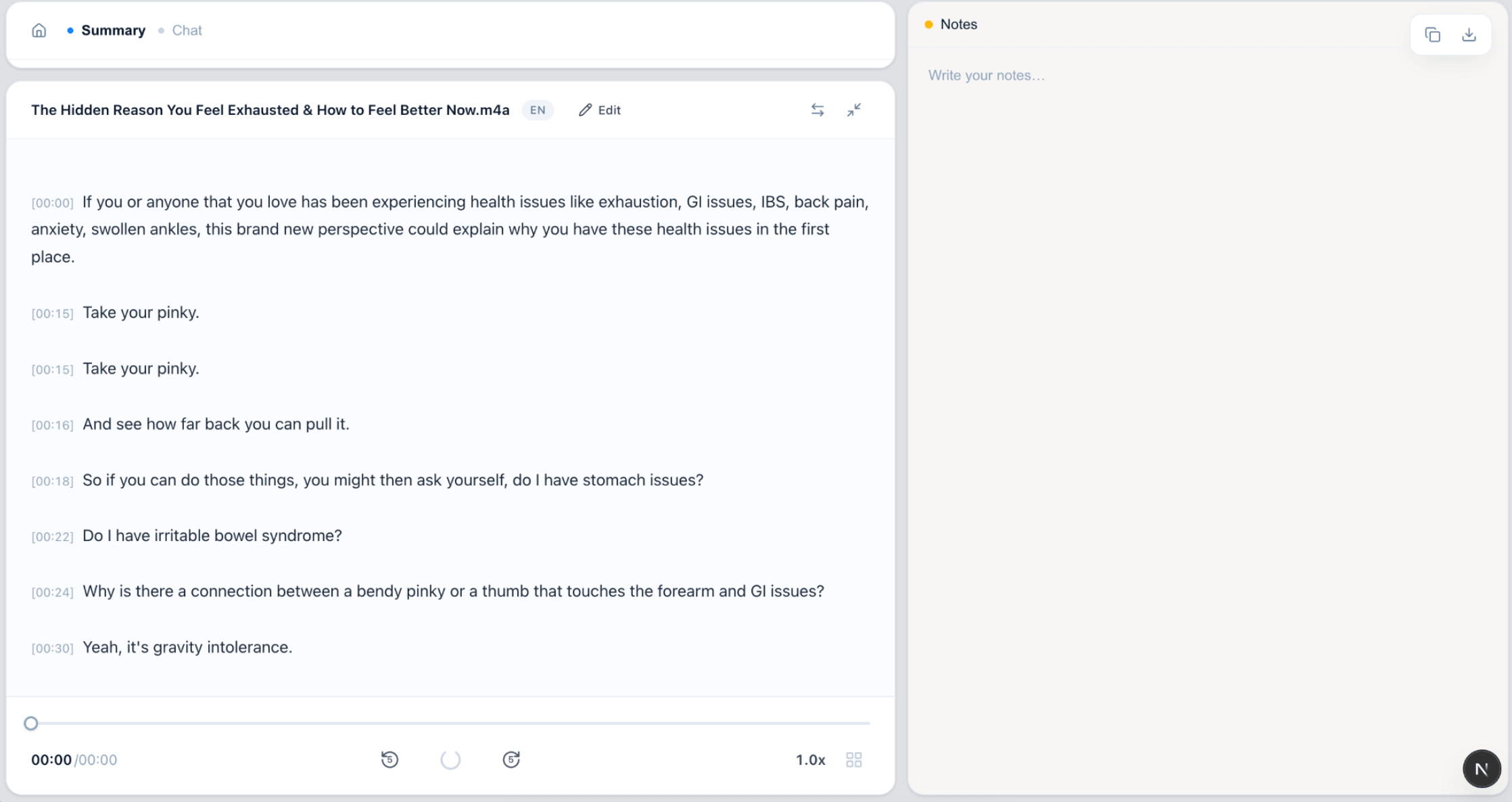
From video upload to subtitles
No locked buttons, no "upgrade to export" popups.
FAQ
Video to text FAQ
How do I convert a video to text?
Upload your video file to VoiceScribe AI, and it extracts the audio and transcribes it into text automatically. You can then read, edit and export the transcript, or download timed subtitles.
Which video formats are supported?
You can upload MP4, MOV, AVI, MKV and WEBM video files. The audio track is processed automatically, so you do not need to convert the video to audio first.
Can I get subtitles from my video?
Yes. Alongside the plain-text transcript, you can export timed subtitles in SRT and VTT formats — ready for YouTube, social clips and most video editors. Subtitle export requires Pro.
What languages can it transcribe?
VoiceScribe AI supports 100+ languages with automatic language detection, so spoken video in most major languages can be transcribed without choosing the language manually.
Is there a length limit or a cost?
The video to text converter is free with no credit card required. Free local uploads of 30 seconds or less are transcribed in full; longer files automatically preview the first 30 seconds. Content tools are available to everyone for the preview. Full transcription beyond the preview requires Pro.
Convert your video to text for free
No credit card. No watermark. Transcript and subtitles included.
Create a free account